Lifestyle Projects
Apps for everyday life — splitting shared costs, tracking your health and extracting frames from video — designed to be simple, fast and personal.
These lifestyle applications were built from direct personal frustration with tools that either didn't exist or didn't work the way they should. Let's Split It emerged from the predictable awkwardness of post-trip expense settlement: existing apps were either US-centric, required everyone to sign up, or buried a simple maths problem in unnecessary complexity.
My Steps was built because Samsung Health holds genuinely useful step-count data but provides no way to export it programmatically to external systems like Home Assistant; the app gives that data back to its owner in a form they can actually use. Frame by Frame was built to solve a specific missing capability: extracting individual frames from a video at a chosen interval, with enough precision control to be useful for analysis, reference or content work — something no existing gallery tool handles cleanly.
What these three share is a design philosophy: solve one problem well, keep the interface fast, and don't ask the user to do more than the task demands. Source code, architecture decisions and lessons learned are available on request.
| Project | Platform | Summary |
|---|---|---|
| Let's Split It | Web | Group expense tracker that calculates the minimum number of transactions needed to settle shared costs. |
| My Steps | Android | Samsung Health step tracker with charts, goal monitoring and HTTP export to Home Assistant or custom backends. |
| Frame by Frame | Android | Video frame extraction utility — select a time range, choose an interval, and extract frames directly to your device gallery. |
Let's Split It
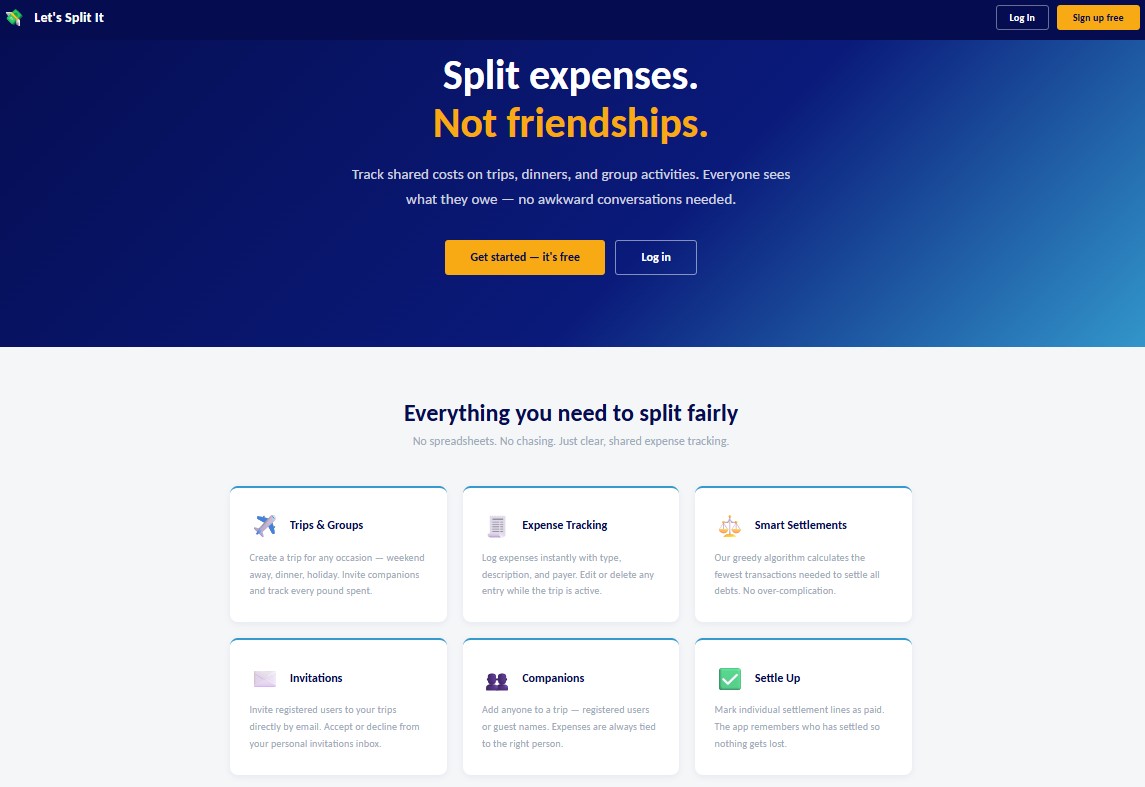
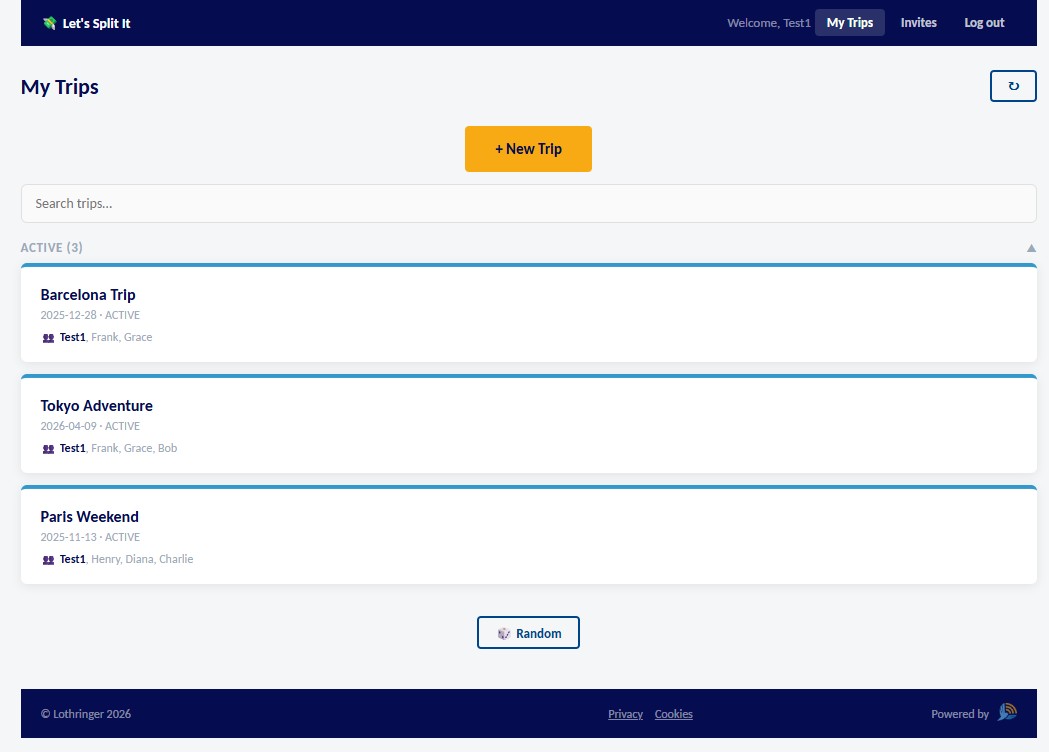
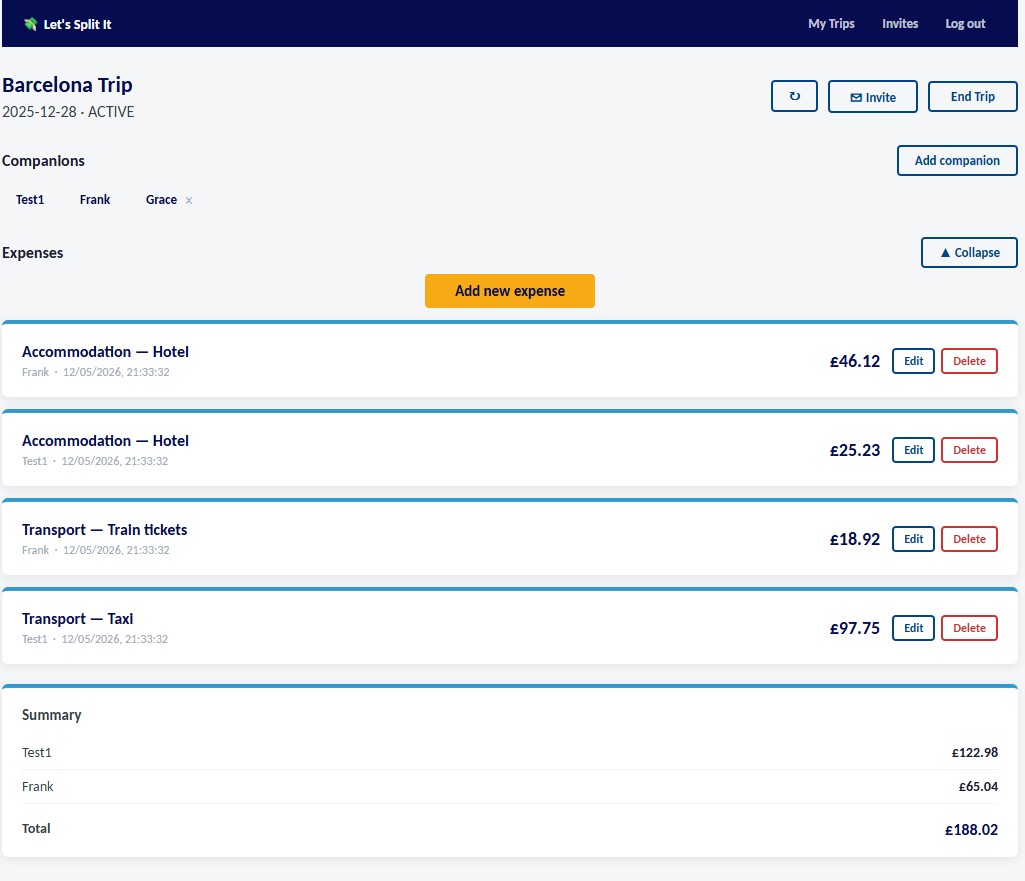
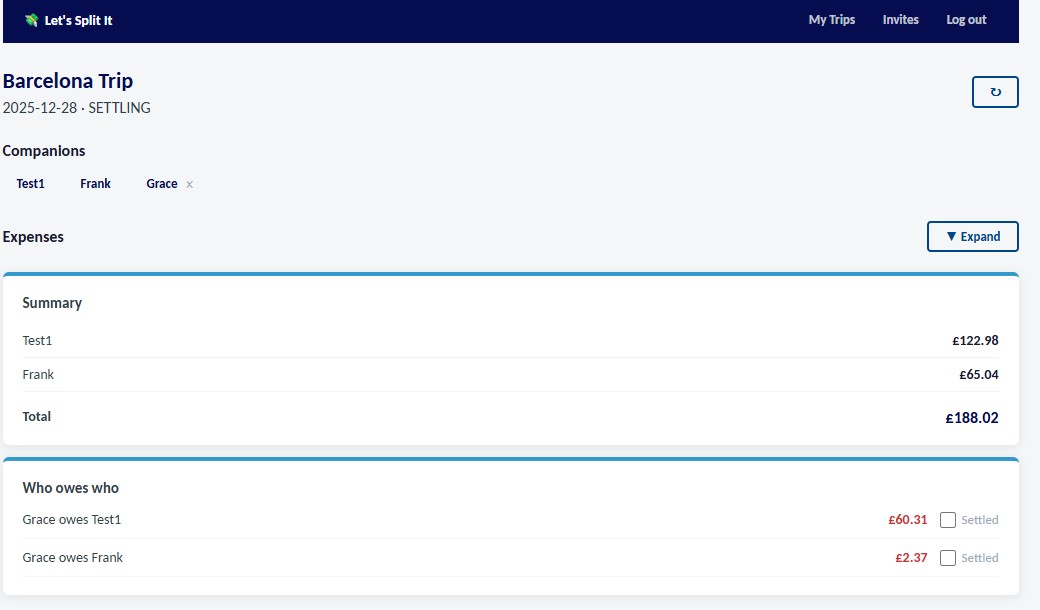
Let's Split It is a shared expense tracking web application for groups — designed to take the friction out of splitting costs on trips, dinners, weekends away, or any shared occasion. Users create a trip, invite companions, log expenses as they go, and the app calculates exactly who owes what using a smart settlement algorithm that minimises the number of transactions needed.
The application supports both registered users and guest names within a trip, so no one is left out if they haven't signed up. Invitations are sent by email, and each user has a personal invitations inbox to accept or decline.
- Node.js and Express backend with SQLite database and JWT authentication
- Greedy settlement algorithm — calculates the fewest transactions needed to clear all debts
- Full user management: registration, login, email invitations and role-based trip access
- Support for registered users and guest companions within the same trip
- Admin dashboard for trip and user management
- Responsive single-page web interface — no app install required
My Steps
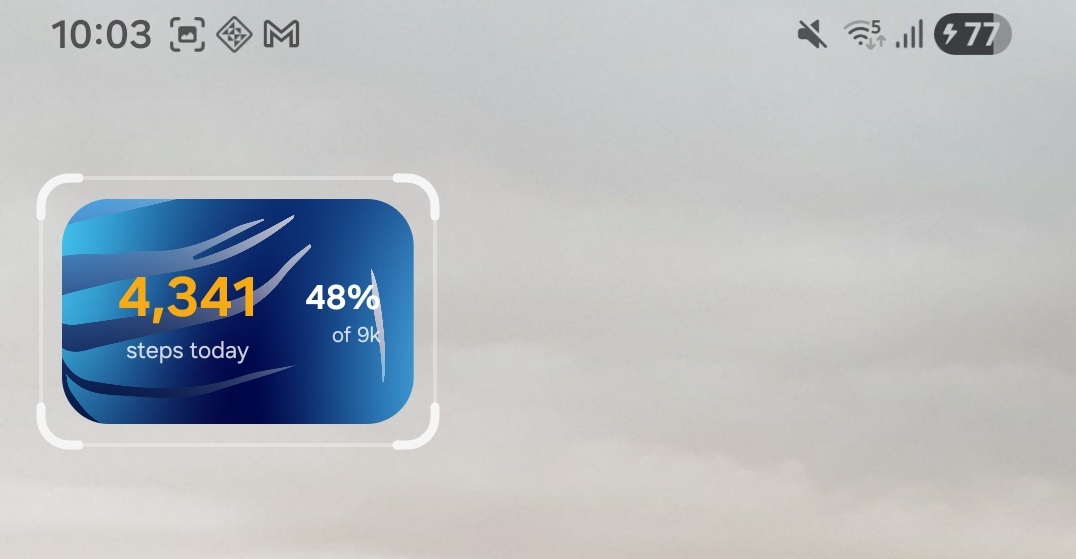
Home screen widget
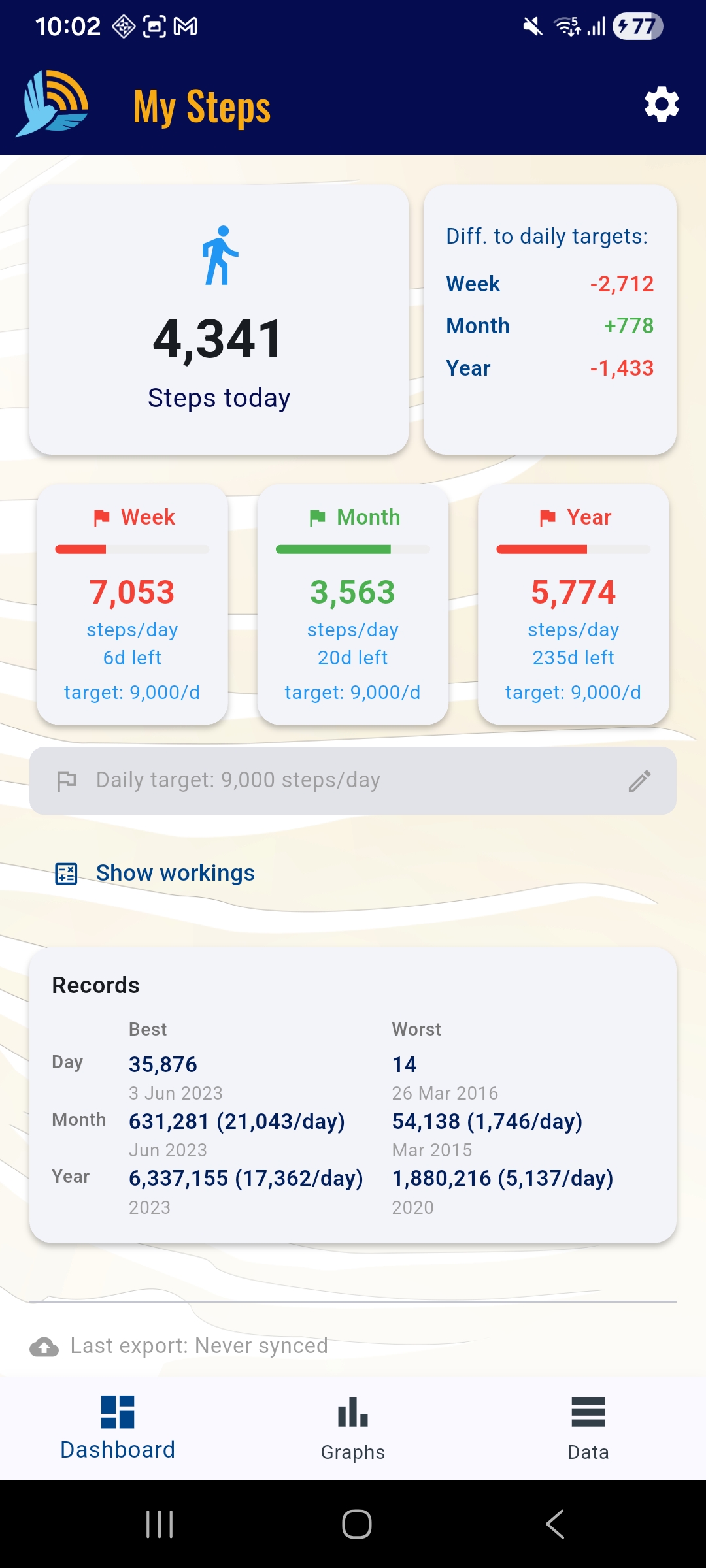
My Steps is a personal health tracking app for Android that reads step count data from Samsung Health via Health Connect and visualises it across daily, weekly, monthly and yearly views. It is built for users who want full ownership of their health data — including the ability to export it via HTTP to any external system such as Home Assistant, a personal dashboard, or a custom backend.
The app tracks progress against configurable daily targets and aggregates them into weekly, monthly and yearly goal summaries, recalculating the required daily average in real time as the period progresses.
- Live step count synced from Samsung Health via the Health Connect SDK
- Dashboard showing today's steps and goal progress across week, month and year
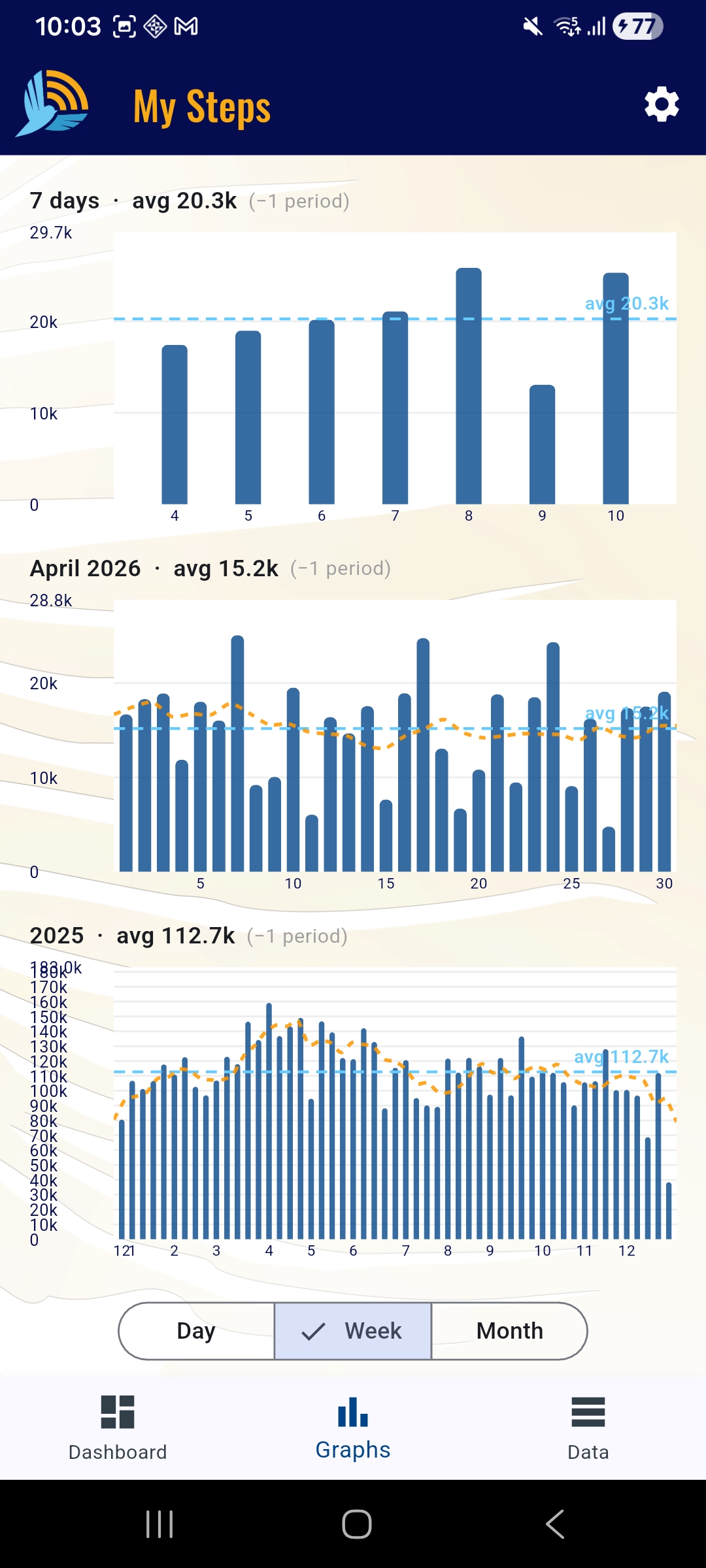
- Interactive charts for 7-day, 30-day and 12-month periods with period navigation
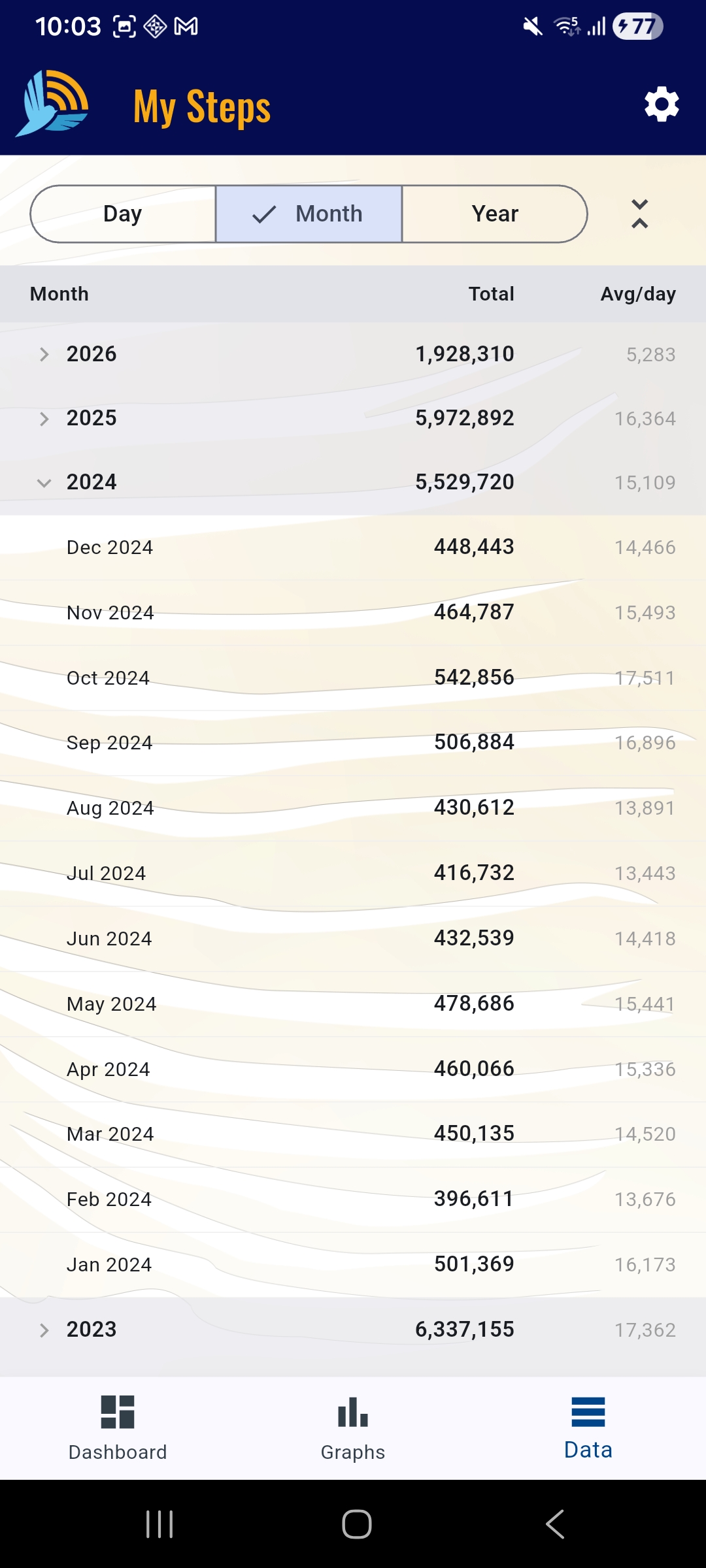
- Tabular data view grouped by day, month or year with per-period averages
- Configurable HTTP export — POST step data as JSON to any endpoint (Home Assistant, InfluxDB, custom servers)
- Smart incremental sync with full historical backfill and offline SQLite caching
- Built with Flutter, sqflite, fl_chart and Lothringer Material 3 branding
Personal Android app — Samsung Health / Health Connect required.
Frame by Frame
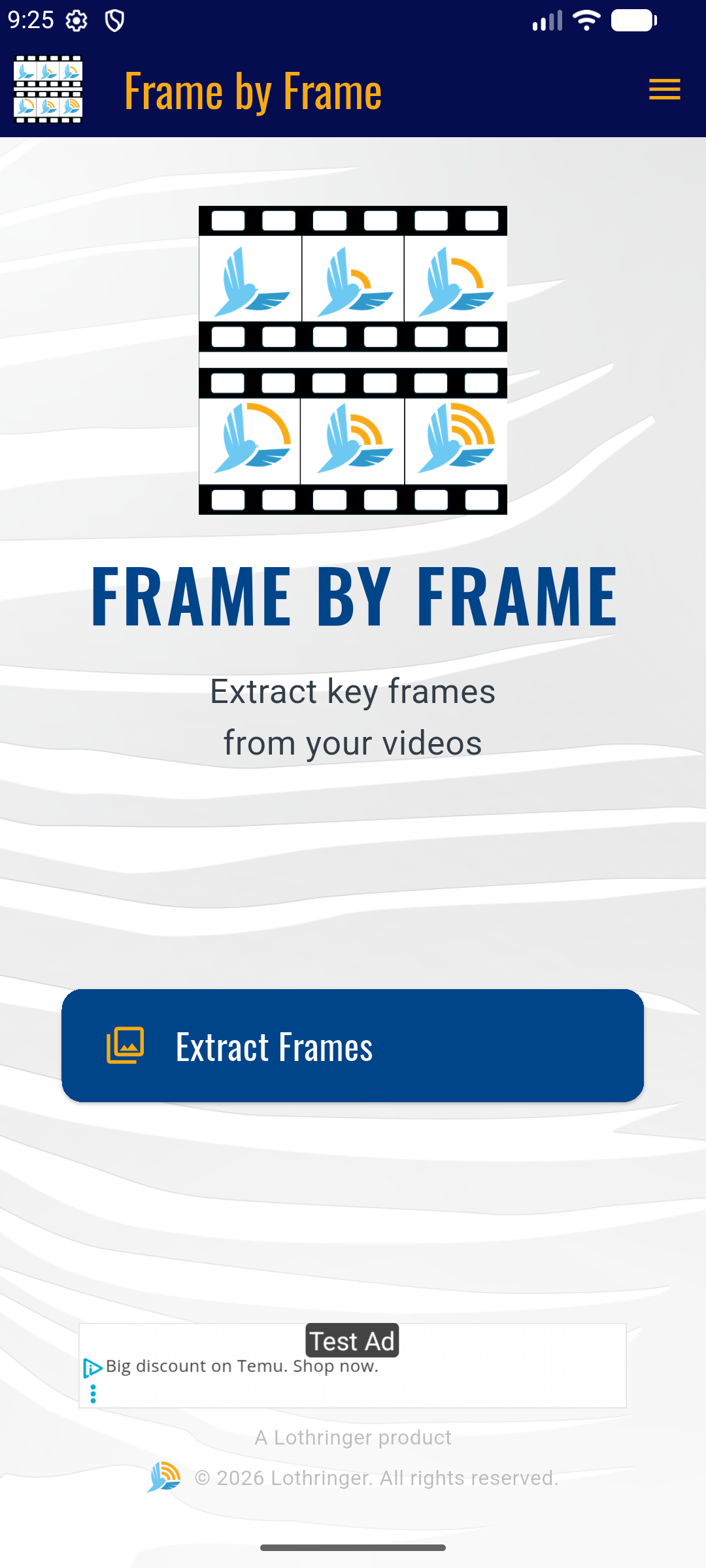
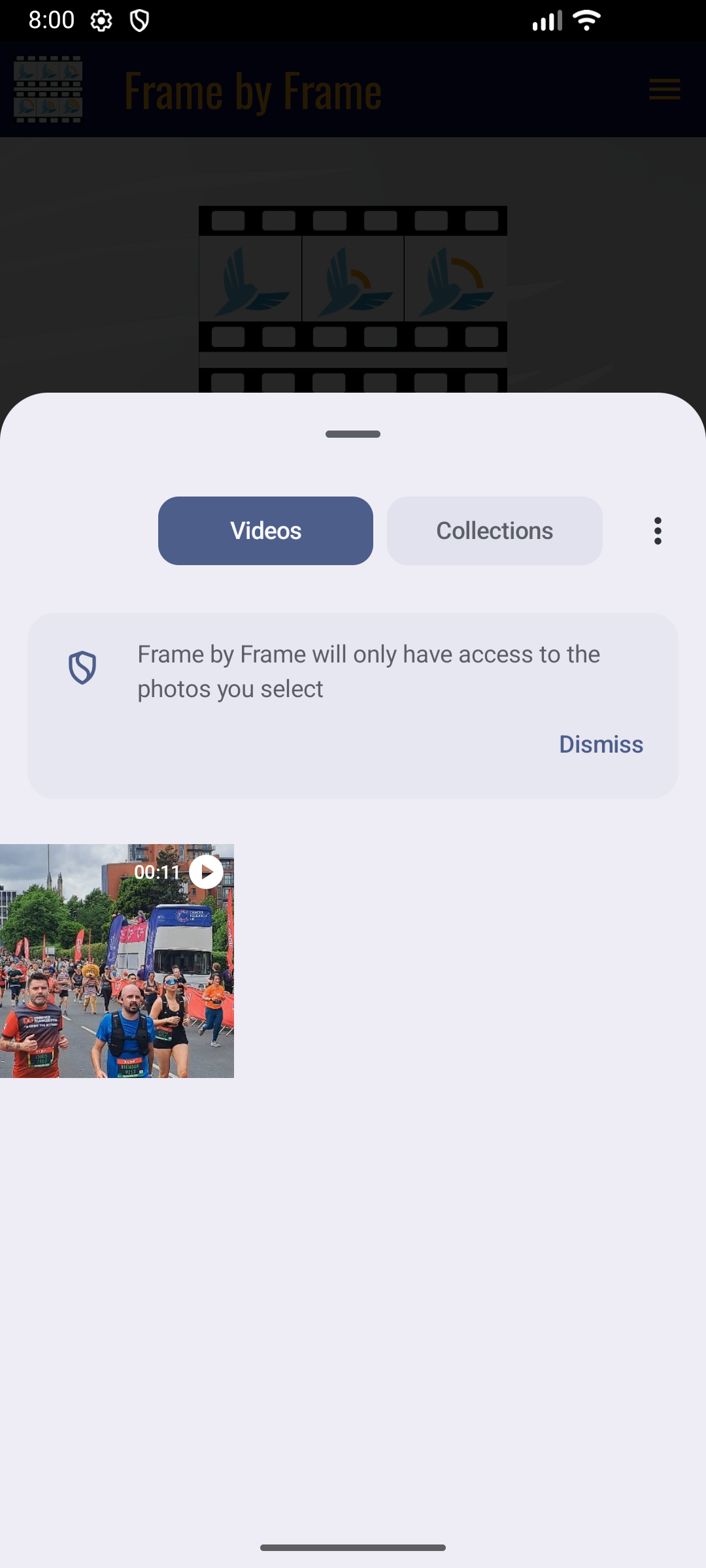
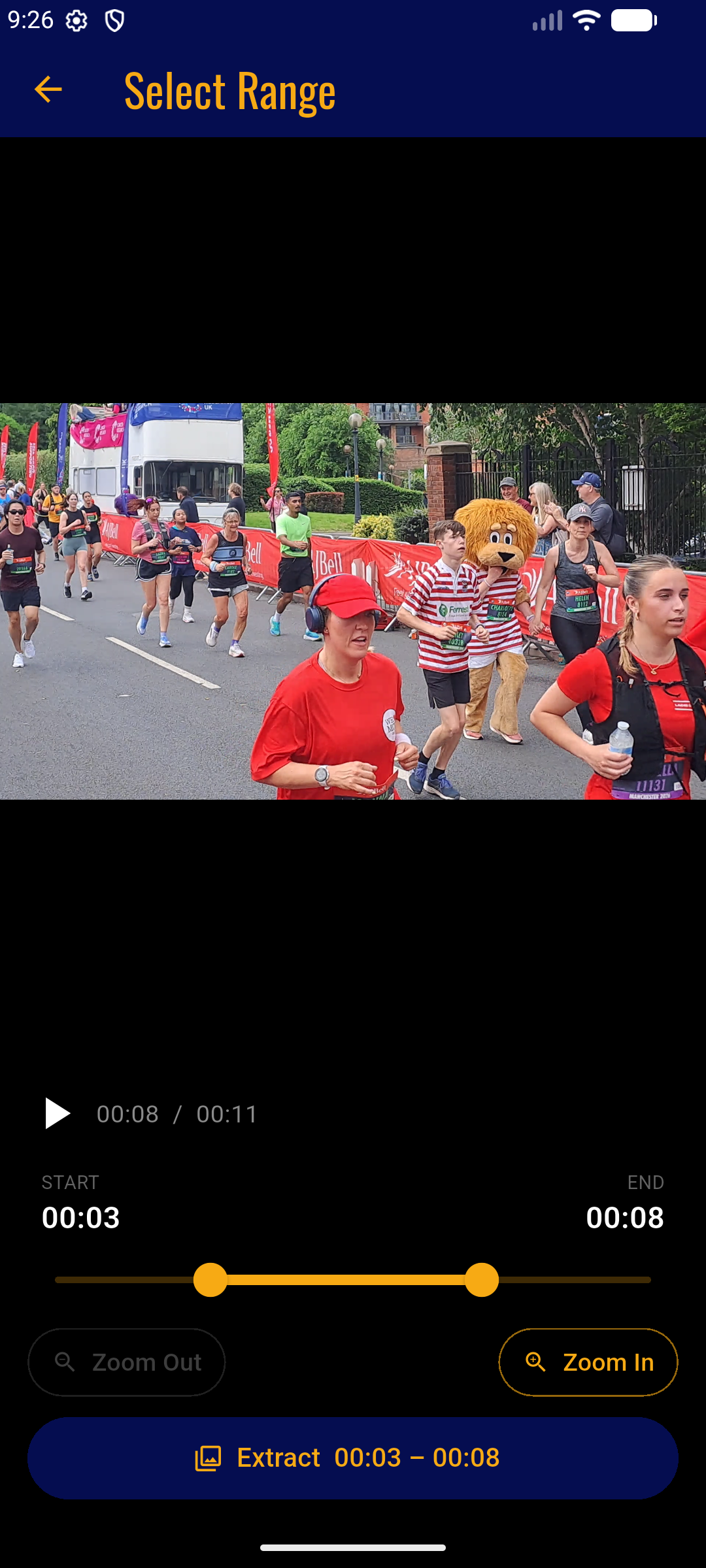
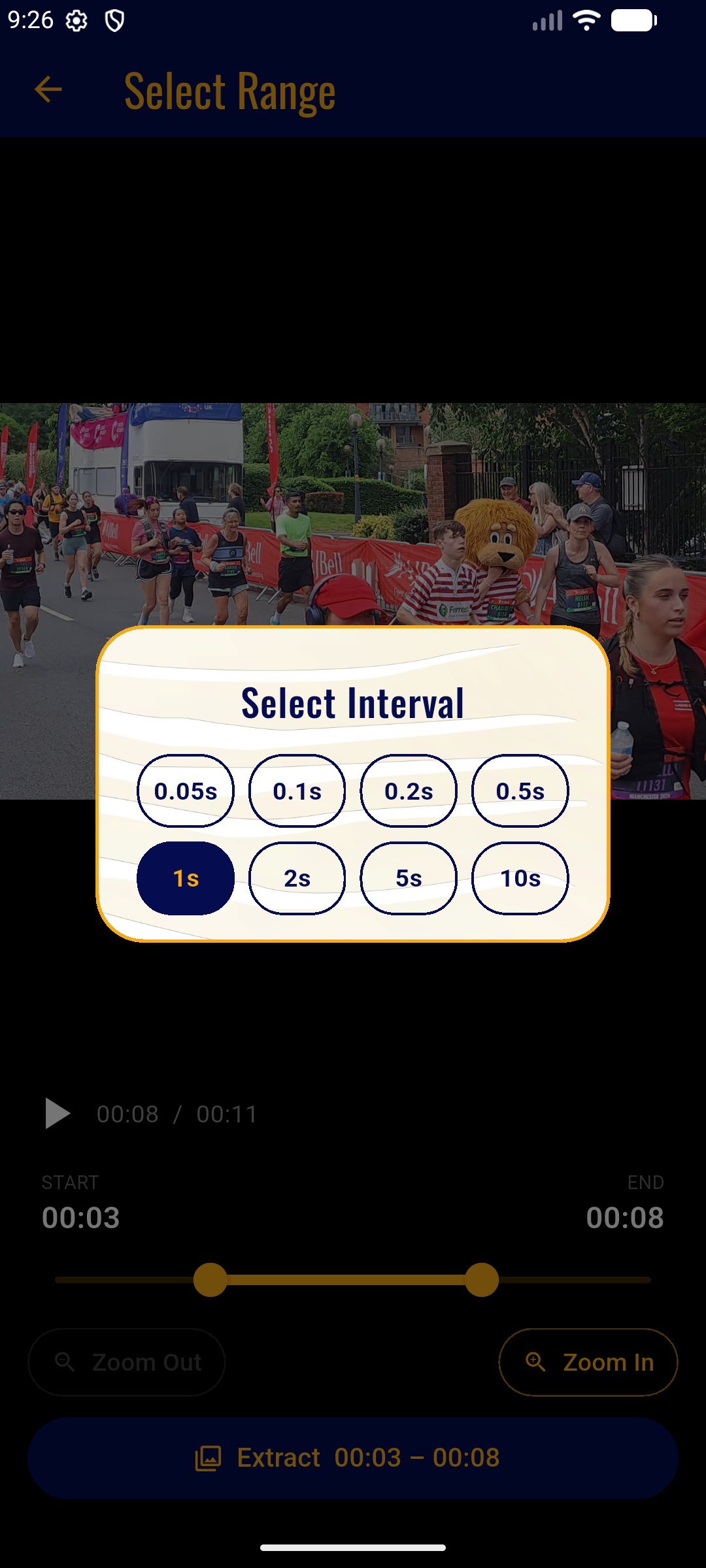
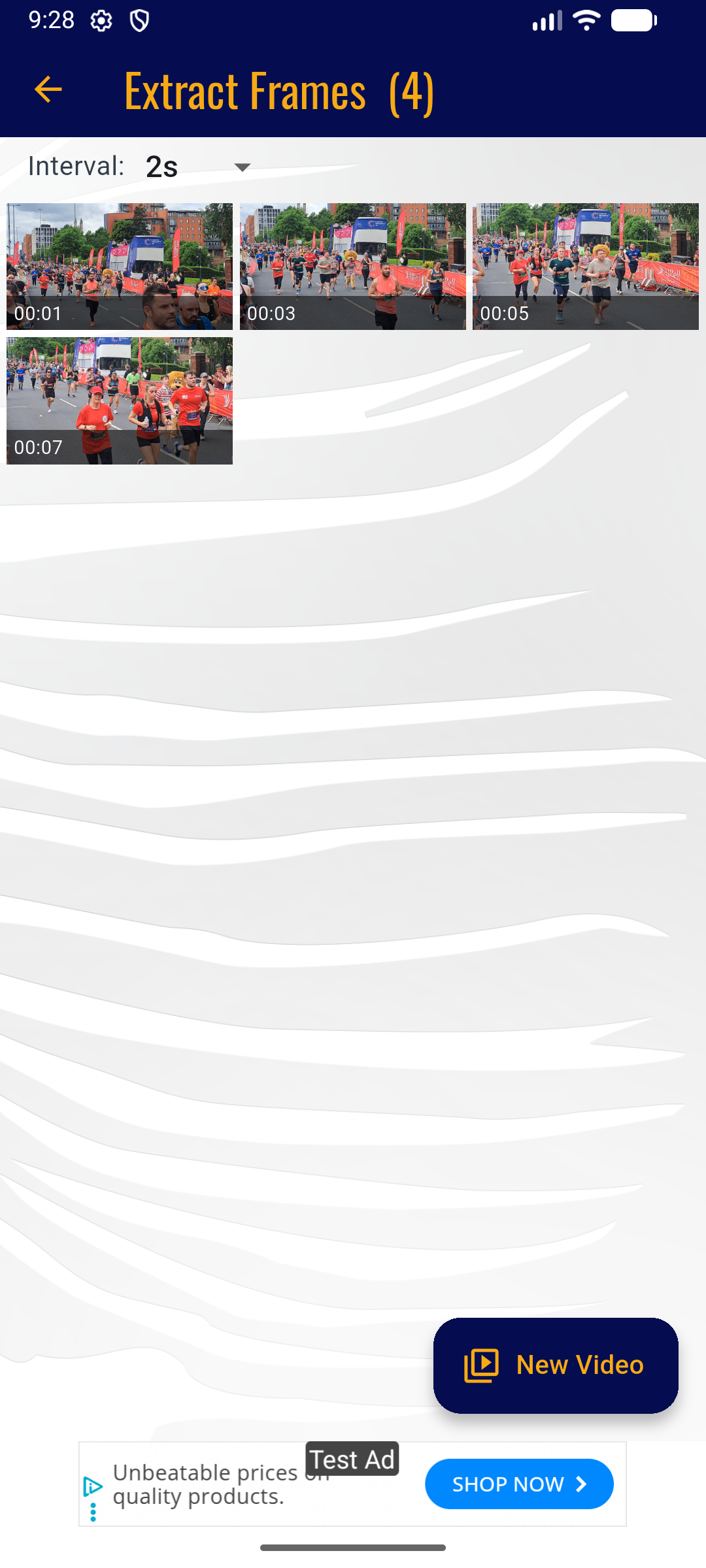
Frame by Frame is an Android utility for extracting individual frames from any video on your device. Select a video from your gallery, define a time range using the interactive range picker — with zoom support for precise start and end points — choose an extraction interval from 50 milliseconds to 10 seconds, and the app streams the extracted frames live into a scrollable grid as they are processed. Individual frames can be inspected full-screen with timestamps and saved directly to your device gallery.
The app is localised into English, French and German, and is ad-supported with an in-app purchase to remove ads.
- Video selection from device gallery with interactive range picker and zoom for precision
- Configurable extraction intervals: 50ms, 100ms, 200ms, 500ms, 1s, 2s, 5s and 10s
- Live frame streaming — extracted frames appear in a scrollable grid as they are processed
- Full-screen frame viewer with PageView navigation and pre-formatted timestamps
- Save individual frames directly to device gallery
- Performance warnings when extraction will produce more than 30 frames
- Localised into English, French and German; built with Flutter and Material 3 Lothringer branding
Android app — available on Google Play.
Interested in what we could build or deliver for your organisation?
Get in Touch